How to Fix My AC Fan Not Working
To fix your AC fan not working, start by checking your thermostat settings. Ensure it is set to “cool” and the fan is on “auto” or “on” mode. This simple step can often resolve the issue quickly.
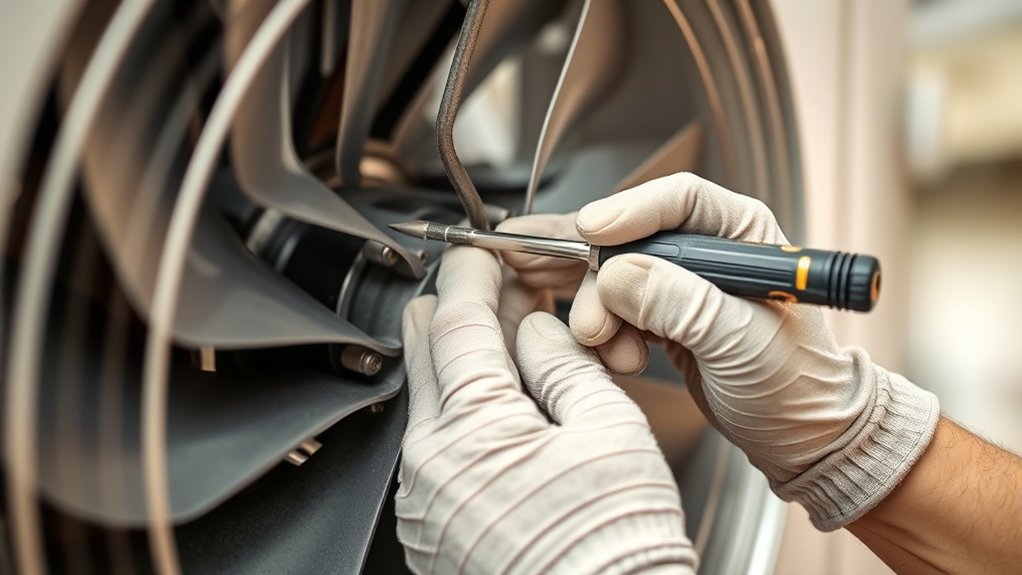
Next, inspect the fan blades and motor for any damage or debris that may be obstructing airflow.
Clean or replace the air filter to guarantee proper airflow through your system. A clogged filter can cause the fan to stop working properly.
Also, verify that all electrical connections are secure.
Test the fan capacitor and replace it if you find it faulty.
You can try resetting the system by turning off the power briefly to see if that restores fan function.
Keep exploring for more detailed steps and solutions to get your AC fan running smoothly again.
Key Takeaways
- Confirm thermostat is set to “cool” with appropriate temperature and fan settings to ensure the fan should be running.
- Turn off power and inspect fan blades and motor for damage, debris, or loose mounting that could prevent spinning.
- Check and replace the fan capacitor if the motor hums but the fan does not start spinning.
- Clean or replace the air filter to improve airflow and reduce strain on the fan motor.
- If the fan motor hums, smells burning, or breaker trips, contact an HVAC professional for safe diagnosis and repair.
How to Check Your Thermostat Settings First
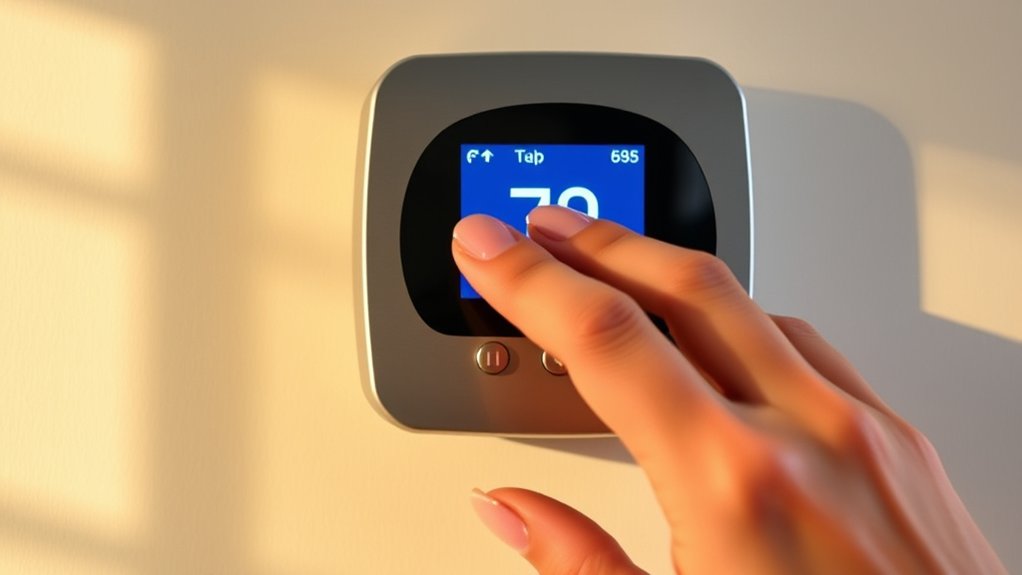
Before diving into complex repairs, check your thermostat settings first. You’d be surprised how often a simple misconfiguration causes the AC fan to stop working. Start by ensuring the thermostat is set to “cool” mode, not “heat” or “off.”
Next, check the temperature setting—the fan will only run if the room temperature is above this set point. If your thermostat uses batteries, replace them to rule out power issues. Also, verify that the fan setting is on “auto” or “on”; “auto” means the fan runs only when cooling, while “on” runs it continuously.
Finally, reset your thermostat by turning it off and back on, or consult the manual for a factory reset. These quick steps can often restore your fan’s operation without hassle.
Inspect the AC Fan Blades and Motor for Damage
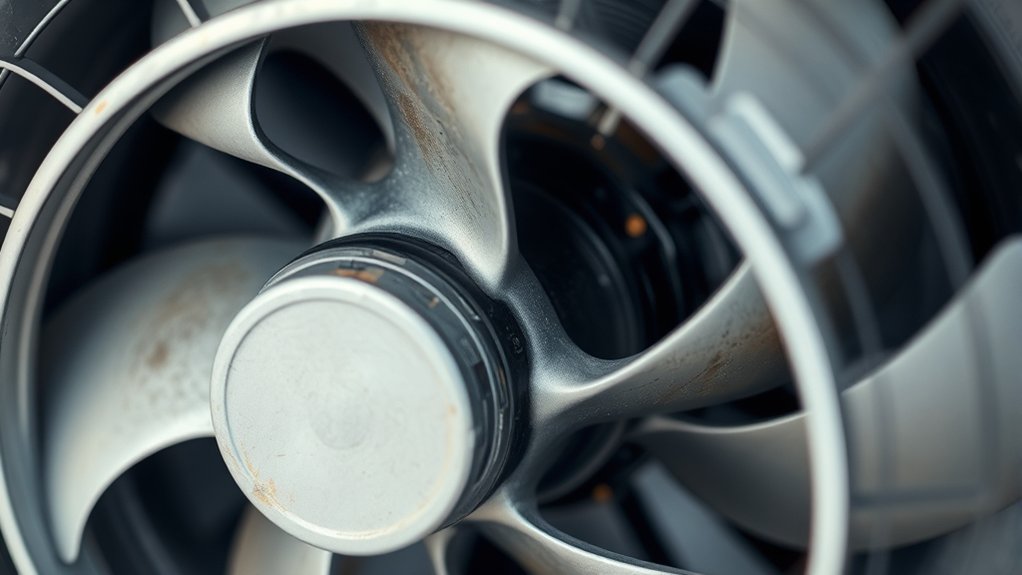
Now, take a close look at the fan blades for any cracks, bends, or debris that might block their movement.
Next, check the motor to see if it’s running smoothly or making unusual noises.
Catching these issues early can help you decide if a repair or replacement is needed.
Checking Fan Blade Condition
A key step in diagnosing your AC fan issue is to carefully inspect the fan blades and motor for any visible damage. Start by turning off the power to your unit to stay safe. Then, examine the fan blades closely for cracks, chips, or bends that could hinder smooth rotation.
Dirt buildup can also affect performance, so look for accumulated debris. Here’s what you should do:
- Check each blade for physical damage or warping.
- Clean off any dust or dirt that’s stuck on the blades.
- Make sure the blades are securely attached to the motor shaft.
- Spin the blades manually to ensure they move freely without resistance.
Addressing these points can help restore proper airflow and prevent further damage.
Assessing Motor Functionality
Once you’ve confirmed the fan blades are in good shape and free to move, turn your attention to the motor itself. Start by visually inspecting the motor for any signs of damage like burnt wires, corrosion, or debris buildup. Use a flashlight to get a clear view inside the motor housing.
Next, try spinning the motor shaft by hand; it should rotate smoothly without resistance or grinding noises. If it feels stuck or rough, the motor bearings might be worn out. Additionally, check for any burnt smells, which can indicate electrical issues.
If you notice any damage or unusual signs, you’ll likely need a motor replacement or professional repair. Ensuring the motor is in good condition is key to getting your AC fan back up and running efficiently.
Clean or Replace Your AC Air Filter to Improve Airflow
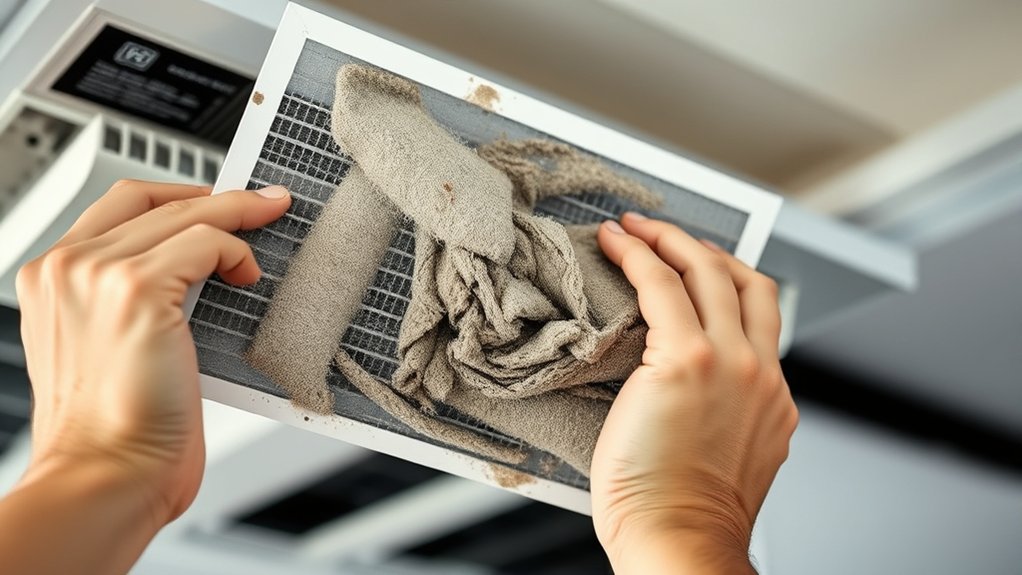
Because clogged or dirty air filters restrict airflow, your AC fan may struggle to operate effectively. To fix this, clean or replace the air filter regularly to guarantee proper ventilation and prevent your fan from overworking.
Follow these steps to maintain your air filter:
- Turn off your AC unit before handling the filter.
- Locate the air filter, usually behind the front grille or inside the blower compartment.
- Inspect the filter; if it’s reusable, clean it with water and let it dry completely before reinstalling. If disposable, replace it with a new one.
- Reinstall the filter correctly and turn your AC back on.
Keeping your air filter clean improves airflow, reduces strain on the fan, and helps your AC run smoothly.
Check Electrical Connections and Replace Blown Fuses
If your AC fan isn’t spinning, you should check the electrical connections and fuses next. First, turn off the power to your AC unit to avoid any shocks. Open the access panel and inspect all wiring connected to the fan motor and control board.
Look for loose, corroded, or disconnected wires and tighten or reconnect them as needed. Next, locate the fuse box or circuit breaker panel for your AC system. Check the fuses or breakers related to the fan motor.
If you find a blown fuse, replace it with one that matches the exact amperage. After securing all connections and replacing any blown fuses, restore power and test the fan. If it still doesn’t run, move on to diagnosing other components.
How to Test the Fan Capacitor for Faults
Although the fan capacitor is a small component, it plays a crucial role in starting and running your AC fan motor. If your fan isn’t working, testing the capacitor can help you pinpoint the issue.
Here’s how you do it safely:
- Turn off the power to your AC unit at the breaker.
- Discharge the capacitor by touching its terminals with an insulated screwdriver.
- Use a multimeter set to the capacitance setting and connect the probes to the capacitor terminals.
- Compare the reading to the capacitor’s rated microfarads, printed on its label. If the reading is considerably lower or shows no continuity, the capacitor is faulty and needs replacing.
Testing this component accurately can save you from unnecessary repairs.
How to Reset Your AC Unit to Fix Minor Glitches
Testing the fan capacitor helps identify hardware issues, but sometimes your AC fan may stop working due to minor glitches in the system. To reset your AC unit, first turn off the thermostat and switch off the circuit breaker that powers the unit. Wait about 5 minutes to allow the system to fully power down and clear any temporary faults.
Then, turn the breaker back on and set your thermostat to the desired temperature. This simple reset can often resolve control board errors or communication glitches causing the fan to stop. If your fan still doesn’t work after the reset, you may need to explore other components, but resetting is a quick and easy first step to troubleshoot your AC fan issues.
Lubricate Fan Motor Bearings When Needed
When your AC fan motor starts making unusual noises or struggles to spin smoothly, it’s a sign you should lubricate the motor bearings. Proper lubrication reduces friction, extends motor life, and restores smooth operation. Here’s how you can do it:
- Turn off the power to your AC unit to ensure safety.
- Locate the fan motor and identify the lubrication ports or oil holes.
- Use a few drops of electric motor oil (never use WD-40 or household oils) in each bearing.
- Manually spin the fan blades to distribute the oil evenly before turning the power back on.
Lubricate your fan motor bearings only when you notice noise or stiffness to avoid over-lubrication, which can attract dust and cause damage.
How to Replace a Broken AC Fan Motor Safely
Before you replace the broken AC fan motor, make sure you follow a safety precautions checklist to avoid any accidents. You’ll need to turn off the power and gather the right tools for the job.
Next, follow a step-by-step motor replacement guide to guarantee everything goes smoothly.
Safety Precautions Checklist
Although replacing a broken AC fan motor might seem straightforward, you should always prioritize safety to avoid injury or damage. Before you start, make sure to follow these essential precautions:
- Turn off the power at the circuit breaker to prevent electrical shock.
- Wear protective gear, such as gloves and safety goggles, to safeguard against sharp edges and debris.
- Use proper tools designed for HVAC work to avoid slipping or damaging components.
- Work in a well-ventilated area to avoid inhaling dust or fumes.
Step-by-Step Motor Replacement
Since you’ve prepared your workspace and taken the necessary safety precautions, you can now begin replacing the broken AC fan motor. First, disconnect the fan’s wiring by noting the wire placement or taking a photo for reference.
Next, remove the motor mounting bolts or screws and carefully slide out the old motor. Compare the new motor to the old one to ensure compatibility.
Install the new motor by securing it with the mounting bolts or screws, making sure it sits firmly. Reconnect the wiring exactly as before, double-checking all connections.
Finally, reattach the fan blades, ensuring they spin freely without obstruction. Once everything is secured, restore power and test the fan to confirm it runs smoothly.
If issues persist, consult a professional technician.
Recognize When to Call an HVAC Professional
When your AC fan stops working despite basic troubleshooting, you should call an HVAC professional to avoid further damage and guarantee a proper fix. Some issues require specialized tools and expertise beyond DIY efforts. Recognize when it’s time to get expert help by considering these signs:
- Your fan motor hums but doesn’t spin.
- You notice burning smells or smoke near the AC unit.
- The system frequently trips your circuit breaker.
- Replacing parts hasn’t restored proper function.
If you encounter any of these, don’t hesitate to reach out. Professionals can diagnose complex electrical or mechanical problems safely and efficiently, ensuring your AC runs smoothly again without risking safety or costly mistakes.
Frequently Asked Questions
Can a Dirty Condenser Coil Affect My AC Fan Operation?
Yes, a dirty condenser coil can cause your AC fan to work improperly. It restricts airflow and causes the system to overheat, making your fan struggle or stop.
Cleaning it regularly helps keep your fan running smoothly.
How Often Should I Schedule Professional AC Maintenance?
You should schedule professional AC maintenance at least once a year.
Did you know regular tune-ups can reduce your energy bills by up to 15%? Staying proactive keeps your system efficient and prevents costly breakdowns.
Does Low Refrigerant Impact the AC Fan’s Performance?
Yes, low refrigerant can impact your AC fan’s performance because it causes the system to overheat and shut down the fan to prevent damage.
You’ll want to check refrigerant levels and recharge if needed.
Can a Faulty Thermostat Battery Cause the Fan to Stop?
Yes, a faulty thermostat battery can cause your fan to stop working because it disrupts the thermostat’s power supply.
You’ll want to replace the battery to guarantee reliable control and get your fan running smoothly again.
What Are the Signs of a Failing Fan Relay Switch?
You’ll notice your fan not starting, intermittent operation, or unusual clicking sounds.
The AC might also overheat or fail to cool properly.
These signs usually point to a failing fan relay switch that needs attention.
Conclusion
When your AC fan takes an unexpected pause, don’t let the heat steal your comfort. By gently tuning your thermostat, giving the blades a careful once-over, and revitalizing the air filter, you invite a breeze back into your space. Check the electrical heartbeat, and if needed, oil the motor’s quiet dance.
Sometimes, a reset is all it takes to wake your unit. But if the chill still hides away, calling an HVAC expert might be the warmest embrace your AC needs. For reliable solutions on how to fix my AC fan not working, professional help ensures your cooling system runs smoothly and efficiently.

Hi, I’m Everett Callahan, a home improvement enthusiast with a strong interest in plumbing, home repairs, and practical renovation projects. I enjoy exploring plumbing fixtures, water systems, repair tools, and simple ways to make homes more functional and comfortable. Through my writing, I share useful guidance, maintenance tips, and helpful ideas to assist homeowners with everyday plumbing challenges and home improvement decisions. My goal is to make home maintenance easier to understand and help readers approach their projects with greater confidence.