How to Reset Tineco Vacuum in 10 Easy Steps
To reset your Tineco vacuum effectively, start by recognizing common signs like error messages or weak suction that indicate a reset is needed. Resetting your Tineco vacuum can resolve many operational issues quickly and restore optimal performance. Follow these simple steps to get your vacuum back to its best condition.
First, power off the vacuum and unplug it safely from the outlet. Remove the dustbin and filter, then clean them thoroughly to maintain suction power.
Next, check for blockages in the hose or brush roll, and clear any debris you find.
Press and hold the reset button for a few seconds until you see lights flash or hear sounds confirming the reset. Reassemble all parts securely, plug the vacuum back in, and turn it on.
Finally, test the vacuum to ensure it operates normally, and if problems continue, consider further troubleshooting or contacting support.
Key Takeaways
- Power off the Tineco vacuum completely and unplug it from the electrical outlet to ensure safety before resetting.
- Remove and clean the dustbin and filter thoroughly, drying them completely before reassembling.
- Inspect and clear any blockages in the hose, brush roll, and other parts using a flashlight if needed.
- Press and hold the reset button for 3-5 seconds until indicator lights flicker or a beep confirms the reset.
- Reassemble all components securely, then plug in and power on the vacuum to test suction and brush roll functionality.
Recognize When Your Tineco Vacuum Needs Reset
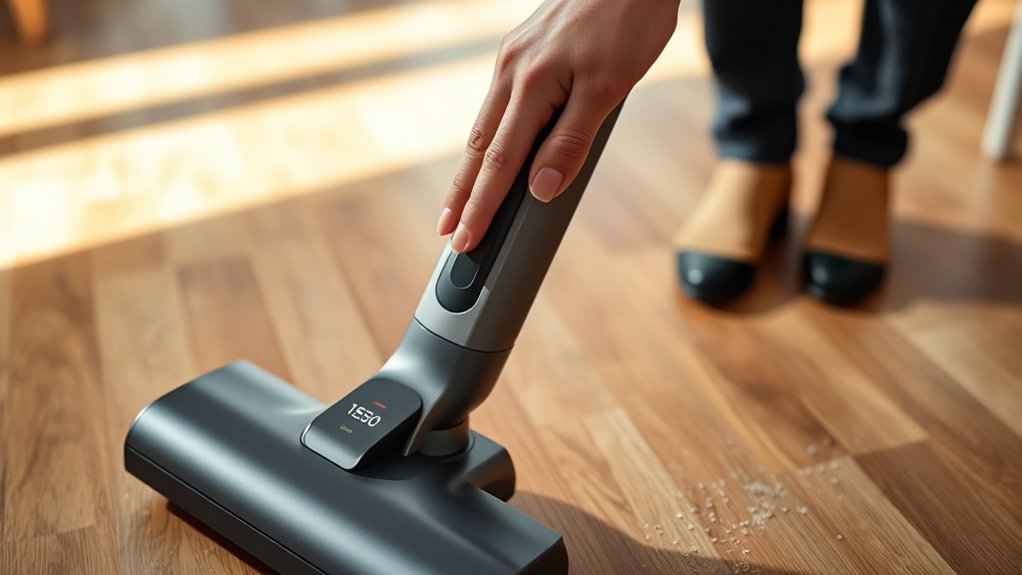
Although your Tineco vacuum usually runs smoothly, you’ll know it needs a reset if it suddenly stops responding or shows error messages. You might notice the vacuum won’t turn on despite being charged, or it may shut off unexpectedly during use. Error lights or blinking indicators on the display panel often signal internal issues that a reset can fix.
If the suction power decreases drastically or the brush rolls stop spinning without an obvious reason, that’s another sign. Also, if your vacuum behaves erratically, like turning on and off repeatedly, resetting it can often restore normal function. Recognizing these symptoms early helps you avoid prolonged inconvenience and ensures your Tineco vacuum performs at its best.
Power Off and Unplug Your Vacuum Safely
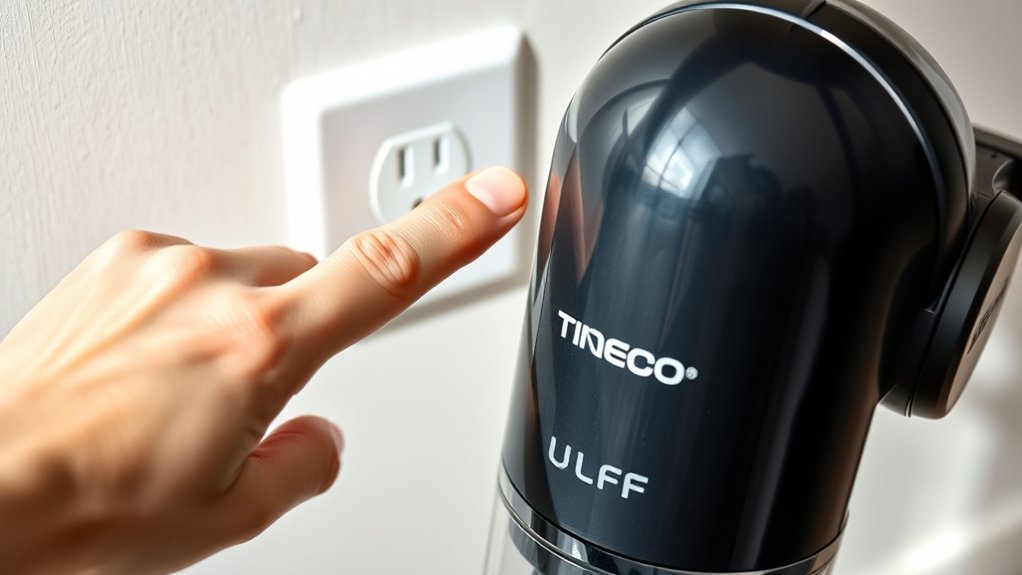
Before you begin any troubleshooting or reset process, make sure you power off your Tineco vacuum completely and unplug it from the electrical outlet. This step is crucial for your safety and to protect the vacuum’s internal components. Start by pressing the power button until the device shuts down fully.
After confirming it’s off, carefully pull the plug from the socket—never yank the cord, as that can cause damage. Unplugging also prevents accidental starts during your reset procedure. Taking this precaution ensures you avoid electric shocks and keeps the vacuum’s circuitry safe while you work on it.
Once powered off and unplugged, you’re ready to move on to the next steps in resetting your Tineco vacuum effectively.
Remove and Clean the Tineco Vacuum Dustbin and Filter
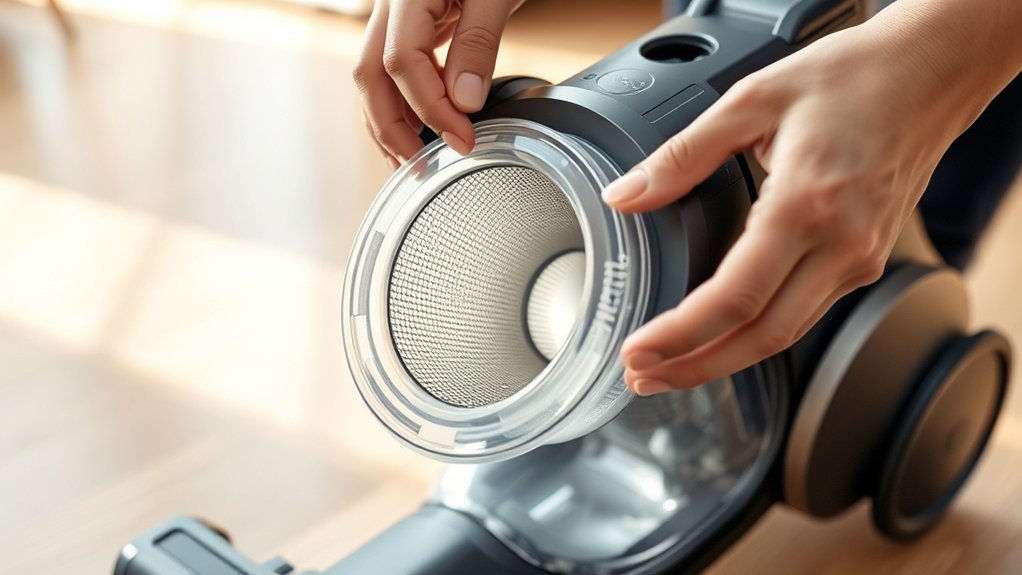
Start by detaching the dustbin carefully to avoid any spills. Rinse the filter thoroughly under running water to remove dirt and debris.
Make sure both the dustbin and filter are completely dry before reassembling.
Detach Dustbin Properly
How do you properly detach the dustbin from your Tineco vacuum to guarantee a thorough clean? First, press the dustbin release button firmly while holding the vacuum steady. Gently pull the dustbin away from the main body to avoid damaging the release mechanism.
Once removed, empty the contents into a trash bin. Remember, proper detachment helps maintain suction power and prevents clogging.
| Step | Action | Tip |
|---|---|---|
| 1 | Press dustbin release button | Use steady pressure |
| 2 | Pull dustbin away gently | Avoid forcing the mechanism |
| 3 | Empty dustbin contents | Do this over a trash bin |
| 4 | Inspect dustbin for debris | Wipe with a dry cloth |
Following these steps ensures your vacuum stays efficient and ready for the next cleaning session.
Rinse Filter Thoroughly
Why is rinsing the filter thoroughly so important for your Tineco vacuum? A clean filter ensures maximum suction power and prevents overheating. After detaching the dustbin, remove the filter carefully to avoid damage.
Rinse it under lukewarm running water, gently tapping or squeezing to dislodge trapped dirt and debris. Avoid using any detergents or brushes, as they can harm the filter’s delicate mesh. Make sure you rinse until the water runs clear, indicating all particles are washed away.
Don’t forget to rinse the dustbin itself to remove residual dust and hair. This step not only prolongs your vacuum’s lifespan but also maintains efficient airflow. Proper rinsing keeps your vacuum performing at its best before you move on to drying and resetting.
Dry Components Completely
Although rinsing removes most dirt, you’ll need to dry the dustbin and filter completely before reassembling your Tineco vacuum to prevent mold and guarantee peak performance. After washing, remove the dustbin and filter from the vacuum and shake off any excess water. Set them in a well-ventilated area, away from direct sunlight or heat sources, to air dry thoroughly.
Avoid using a hairdryer or heater, as excessive heat can damage the filter material. Make sure both parts are fully dry—this can take several hours or overnight. Reassembling damp components can cause unpleasant odors and reduce suction power.
Taking this extra step ensures your vacuum runs efficiently and lasts longer. Once dry, reinstall the dustbin and filter properly before turning your vacuum back on.
Check for Blockages in the Tineco Vacuum Hose and Brush
Before resetting your Tineco vacuum, you should inspect the hose and brush for blockages that can reduce suction power. Blockages often cause your vacuum to lose efficiency or stop working altogether. Start by detaching the hose and brush to get a clear view inside.
Always check the hose and brush for blockages before resetting your Tineco vacuum to maintain suction power.
Look carefully for debris, hair, or dust that might be stuck. Use a flashlight if needed to spot hidden clogs.
Check for common blockages like:
- Tangled hair wrapped around the brush roll
- Large crumbs or pet fur lodged inside the hose
- Dust buildup narrowing the hose’s interior
- Small objects stuck near the brush’s bristles
Clearing these obstructions ensures your vacuum runs smoothly and is ready for resetting.
Press and Hold the Reset Button to Restart Your Vacuum
Once you’ve cleared any blockages, you can reset your Tineco vacuum by pressing and holding the reset button. Locate the reset button, usually found near the power switch or on the main body of the vacuum. Press and hold this button firmly for about 3 to 5 seconds.
You’ll notice the vacuum’s lights flicker or hear a beep, indicating the reset process has started. This action clears error codes and restores the vacuum’s normal operation. Avoid releasing the button too soon, as it may not complete the reset.
If your model has a digital display, it might show a confirmation message once the reset is successful. After this, your vacuum should be ready to use again, functioning smoothly without previous error alerts.
Reinstall Components and Secure All Parts Properly
After resetting, make certain you realign each component carefully before reinstalling. Tighten all screws and clips to keep parts firmly in place.
Double-check every connection to ensure everything is secure and ready to go.
Check Component Alignment
Although you’ve cleaned and inspected your Tineco vacuum, you’ll need to carefully realign each component to guarantee it functions correctly. Misaligned parts can cause poor suction, unusual noises, or even damage. Start by placing each part back in its original position, making sure everything fits snugly.
Pay close attention to:
- The brush roll sitting evenly in its housing
- The dustbin locking securely into the main body
- The filters resting flat without gaps
- The wand and hose connecting firmly without twisting
Double-check each area to ensure nothing’s crooked or loose. Proper alignment ensures maximum airflow and performance, setting your vacuum up for a smooth reset and efficient cleaning every time.
Tighten Screws and Clips
How do you guarantee your Tineco vacuum stays securely assembled? Start by carefully reinstalling all the components you previously removed. Align each part exactly as it fits, then focus on tightening the screws and clips.
Use a screwdriver to snug each screw firmly, but avoid over-tightening, which can strip threads or crack plastic. For clips, press them firmly until you hear or feel them snap into place. Check every connection point to assure nothing feels loose or wobbly.
Taking the time to properly tighten screws and secure clips not only keeps your vacuum stable but also prevents potential damage during use. This step is vital before moving on to verify all connections for a fully reset and reliable Tineco vacuum.
Verify Secure Connections
Once you’ve tightened all screws and secured clips, it’s important to double-check every connection to make sure each component is firmly in place. Loose parts can cause malfunction or prevent your Tineco vacuum from resetting properly. Start by reinstalling the dustbin and ensuring it clicks securely.
Next, check the filter housing—make sure it’s seated snugly without gaps. Reattach the brush roll cover and confirm it locks tightly. Finally, examine the battery compartment, ensuring the battery fits flush and the cover snaps shut.
- Dustbin firmly clicked into position
- Filter housing sealed without gaps
- Brush roll cover locked in place
- Battery secured with cover snapped shut
Plug In and Power On Your Tineco Vacuum
Before you can reset your Tineco vacuum, you’ll need to plug it in and power it on. Start by connecting the vacuum’s charger to a working electrical outlet. Then, attach the charger to your vacuum’s charging port securely.
First, plug in your Tineco vacuum and power it on by securely connecting the charger.
Make sure the connection is firm to guarantee proper power flow. Once connected, press the power button to turn your vacuum on. You should see the indicator lights illuminate, signaling that the vacuum is receiving power.
If the vacuum doesn’t power on, double-check the outlet and connections. Avoid forcing any plugs or buttons. Powering on your vacuum is essential because the reset process requires the device to be active and ready.
After this, you’ll be set to proceed with the reset steps smoothly.
Test Your Vacuum to Confirm It’s Working Right
Although you’ve powered on your Tineco vacuum, you’ll want to test it to guarantee it’s working properly. Start by running it over a small patch of floor to check suction and motor function. Listen carefully for any odd noises or vibrations.
Make sure the brush roll spins smoothly without obstruction. Finally, verify the vacuum’s display or indicator lights show normal status.
Here’s what to focus on:
- Suction power strong enough to pick up dust and debris
- Smooth and consistent brush roll rotation
- No unusual sounds like grinding or rattling
- Clear, normal indicator lights on the vacuum’s display
Testing these assures your vacuum is ready for regular cleaning after a reset.
Troubleshoot Common Issues If Reset Doesn’t Help
If your Tineco vacuum still isn’t performing properly after testing and resetting, it’s time to troubleshoot common problems. Check for blockages in the hose, filter, or brushroll and clean them thoroughly.
Confirm the battery is fully charged and properly connected. Also, inspect the brushroll for hair or debris that might be tangled and preventing rotation.
| Issue | Possible Cause | Quick Fix |
|---|---|---|
| Vacuum won’t start | Battery low or loose | Charge or reconnect |
| Reduced suction | Blocked filter or hose | Clean or replace filter |
| Brushroll not spinning | Debris tangled | Remove debris |
Following these steps should help you get your vacuum back to peak performance.
When to Contact Tineco Support for Help
When you’ve tried all the troubleshooting steps and your Tineco vacuum still isn’t working properly, it’s time to reach out to Tineco support for expert assistance. Don’t hesitate to contact them if you notice persistent issues that reset or basic fixes can’t resolve. They can guide you through advanced diagnostics or arrange repairs if needed.
Consider contacting Tineco support when:
- Your vacuum won’t power on despite charging fully
- Error codes or warning lights persist after reset
- Suction remains weak with no blockages detected
- Parts seem damaged or malfunctioning after normal use
Getting professional help ensures your vacuum gets the proper attention and helps you avoid causing further damage by attempting complex fixes yourself.
Frequently Asked Questions
How Often Should I Replace My Tineco Vacuum Filter?
You should replace your Tineco vacuum filter every 3 to 6 months, depending on usage.
If you notice reduced suction or visible dirt buildup, it’s time to swap it out to keep your vacuum working well.
Can I Use Tineco Vacuum on Wet Surfaces?
You shouldn’t use your Tineco vacuum on wet surfaces unless it’s specifically designed for wet and dry use. Using it on wet floors can damage the vacuum and void the warranty, so always check your model’s guidelines first.
What Types of Batteries Do Tineco Vacuums Use?
Tineco vacuums typically use rechargeable lithium-ion batteries. You’ll find these batteries offer long-lasting power and quick charging.
Always check your specific model’s manual to confirm battery type and replacement instructions for the best performance.
How Do I Store My Tineco Vacuum Properly?
Think of your Tineco vacuum as a trusted steed—store it upright in a cool, dry spot, unplugged, and with a clean dustbin.
This keeps it ready, sharp, and prevents wear, ensuring it serves you well each time.
Are Tineco Vacuum Parts Compatible With Other Brands?
You won’t find Tineco vacuum parts compatible with other brands since they design parts specifically for their models.
To keep your vacuum running smoothly, always use genuine Tineco replacements made for your device.
Conclusion
Resetting your Tineco vacuum is simple and quick, even if you’re not very tech-savvy. You might worry that a reset won’t fix deeper issues, but it’s a great first step to clear minor glitches and improve performance instantly.
If problems persist after the reset, you’re not stuck—just follow the troubleshooting tips or reach out to Tineco support. Taking these steps guarantees your vacuum stays reliable and efficient without any hassle.
By performing a Tineco vacuum reset regularly, you ensure optimal cleaning performance and extend the life of your device. Remember, resetting is an easy way to maintain your vacuum’s efficiency and keep it running smoothly.

Hi, I’m Everett Callahan, a home improvement enthusiast with a strong interest in plumbing, home repairs, and practical renovation projects. I enjoy exploring plumbing fixtures, water systems, repair tools, and simple ways to make homes more functional and comfortable. Through my writing, I share useful guidance, maintenance tips, and helpful ideas to assist homeowners with everyday plumbing challenges and home improvement decisions. My goal is to make home maintenance easier to understand and help readers approach their projects with greater confidence.